How To Buy JSS-Tripler Position
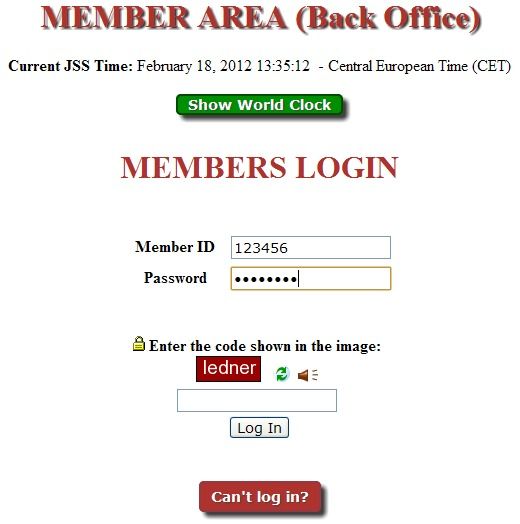
After joining JustBeenPaid / JSS-Tripler, the next step you need to do is to buy JSS-Tripler positions to get profit. If you want to get up to 300% profit, then you need to upgrade your membership to be a Premium member ($15) before buying position, otherwise you will only get 150% profit. After you login, you can click the Level 1 upgrade button at the Member Area (Back Office) front page.
Make sure you have an Egopay, Liberty Reserve, Perfect Money or SolidTrustPay account
and funds your account at least $10. However, after you have sign up,
you are given $10 for free and able to buy your first position straight
away.
2. Click "JSS Tripler".

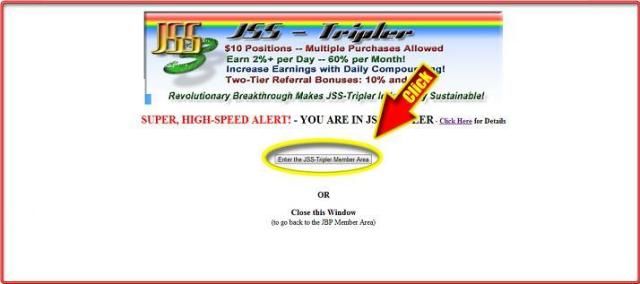
ii) If you already funded your JSS account, then proceed to STEP B.
iii) If you have funded your JSS-Tripler account or just want to use your free $10 to buy position, then proceed to STEP C.
A. FUND YOUR JSS ACCOUNT WITH EGOPAY/ SOLIDTRUSTPAY/ LIBERTY RESERVE/ PERFECT MONEY.

5. Type the amount you’ll use to buy position, then click “Proceed to Fund My Account”. (1 position = $10)

6. Click EGOPAY / SolidTrustPay/ Liberty Reserve.
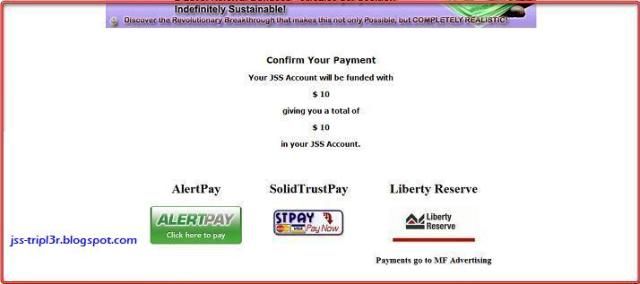
7. Login to your Egopay/ SolidTrustPay/ Liberty Reserve account, then review, insert your transaction PIN dan click “Confirm & Proceed”.
8. Congratulations. Funding Dollar to your JSS Account is successful, return to your “JSS Tripler Member Area” tab.

B. TRANSFER FUNDS FROM JSS ACCOUNT TO JSS TRIPLER ACCOUNT
9. Now Choose Step 2. “Transfer Funds from JSS Account to JSS Tripler account”.

11. Click “Fund My JSS-Tripler Account”.


C. BUY JSS-TRIPLER POSITION.

14. Each Tripler position cost $10. You can buy up to 250 positions in each 60 minutes. So with $100 you can buy 10 position.

15. Click “Yes Confirm My Purchase”.

16. Congratulations. You already buy new positions in JSS Tripler.

Each $10 Tripler position pays 2% gross profit per day or 20 cents per position, per day.
The payments are made daily to your JSS account at 12.05pm Central European Time.
Each position runs for 81 days and then matures.
Min withdrawal $20 via AlertPay/Liberty Reserve
Sign Up to Egopay :


0 komentar:
Posting Komentar